
Why Is Your Solar System Producing Less? Troubleshooting Guide

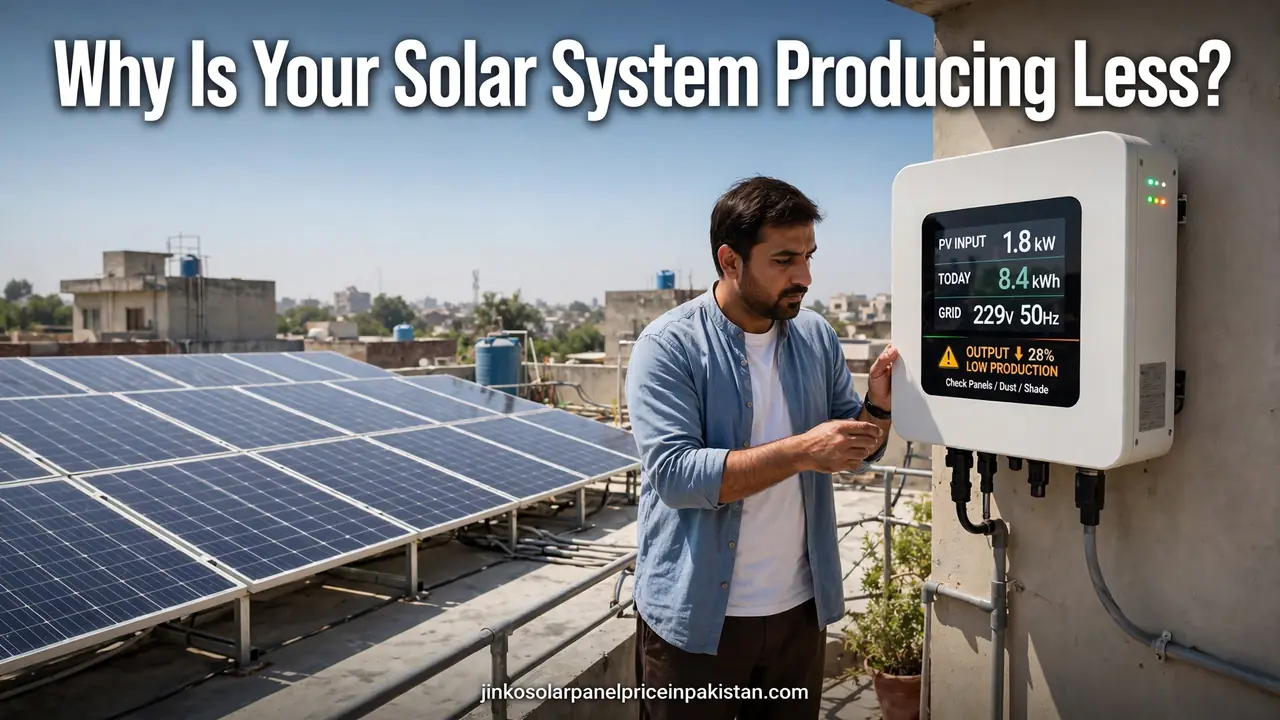
If your solar system is producing less electricity than it used to, the cause is usually one of a handful of fixable problems: dirty panels, new shading, hot weather, a seasonal drop, or an inverter fault. Before assuming anything is broken, compare the daily kilowatt-hour figures from your monitoring app with the same month last year — not with a summer month — then work through the checks below, simplest first, before calling your installer.
First, Check Whether the Drop Is Real
Many “low output” worries turn out to be measurement mistakes rather than system faults: a single cloudy afternoon, one low reading at 5 pm, or a comparison with the wrong month can make a healthy system look sick. Establish the facts before you start fixing things.
Compare kilowatt-hours, not kilowatts. The live power reading in kilowatts changes every minute with the sun. The daily energy total in kilowatt-hours is the number that matters. Open your monitoring app and note the daily totals for the last seven days, then compare them with days of similar weather, not with a single best day from summer.
Compare the same season. A system in Pakistan produces far less in December than in May because the days are shorter and the sun sits lower. Comparing this month with the same month last year is the only fair test. A small difference is weather; a large, sudden difference needs investigation.
Check your bill as a second witness. If the app shows very low production but your electricity bill still shows solar export units, the monitoring is wrong, not the system — a Wi-Fi or data-logger problem is the likely cause. If the bill also shows little solar contribution, the panels really are underperforming. Our solar monitoring system guide explains how to read the numbers your app shows and what each one means.
Seasonal and Weather Changes Are Usually Normal
Most of the variation homeowners notice is the calendar, not a defect. Understanding what is normal saves you an unnecessary service call.
Winter days are shorter. From late November to January, Pakistan gets fewer daylight hours and a lower sun angle, so daily totals fall even on perfectly clear days. This is expected and reverses on its own as days lengthen. Judge your system against last winter, never against last summer.
Heat reduces panel output. Solar panels are rated at a cell temperature of 25°C, and their voltage falls as they get hotter. On a scorching May afternoon, a rooftop array can run far hotter than the air temperature, and output drops even under a blazing sun. Panels perform best on cool, bright days. For a deeper explanation of why underperformance happens and what counts as normal, see this guide to diagnosing an underperforming solar system from EnergyScout.
Clouds, smog and haze cut sunlight. A hazy or smoggy day can look bright to your eyes while delivering far less sunlight to the panels. Lahore’s winter smog season and dusty winds across Punjab both reduce output without any fault in your equipment. If production recovers on the next clear day, the weather was the cause.
Dust, Dirt and Bird Droppings
In Pakistan’s dry, dusty climate, soiling is one of the most common reasons a system slowly produces less. Dust builds up gradually, so output this month is a little lower than last month, and lower still the month after, with no single event to blame.
Walk to a spot where you can see the panels from the ground and look for a grey film, dust streaks, or bird droppings. Droppings are worse than general dust because one dropping can shade one or two cells almost completely, and in a series-wired string, the weakest cell holds back the rest.
If a heavy rain washes the panels and production jumps back up the next day, dirt was costing you output. Clean them with water and a soft brush or mop — never a pressure washer or abrasive pad, which can damage the panel surface and seals. How often cleaning is needed depends on your area: homes near busy roads, construction sites or farmland need it more often than homes in cleaner neighbourhoods. See our solar system maintenance checklist for a routine that keeps soiling from quietly eating your output.

New Shading You Did Not Have Before
Shading is the most damaging and most overlooked cause of a sudden production drop, because shade often appears months or years after installation. A tree that was a sapling when the system was installed can now throw a shadow across the array in the morning. A neighbour’s new upper floor, a water tank, a satellite dish, or a new rooftop structure can do the same.
Watch your panels through the day from the ground and note when any shadow crosses the array and which panels it touches. Even partial shade on a small part of one panel can reduce the output of the whole string it belongs to, because the panels in a string share one current — so a shadow covering only a corner of the roof can cost far more output than its size suggests.
If your monitoring app shows a production curve that drops sharply in the middle of the day instead of rising smoothly to a midday peak, suspect shade. The fix depends on the source: trim the tree, move the dish, or — if the shading is permanent — ask your installer whether re-stringing the panels or adding optimizers would help.
Inverter Problems
The inverter is the hardest-working component in the system and the most common source of faults: it converts the panels’ DC power into AC power for your home, and when it struggles, the whole system struggles.
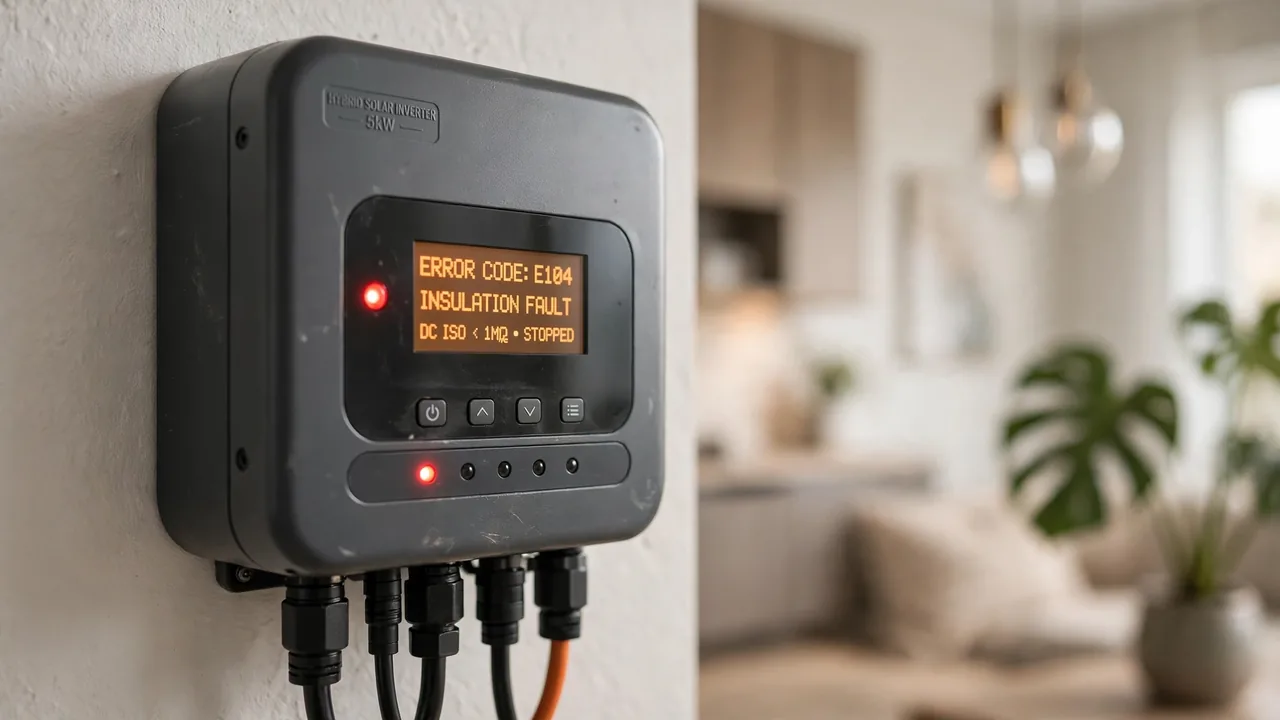
Check the display and error codes. Most modern inverters show their operating status, error codes and basic measurements on a small screen or in the app. Note the exact code, the time it appeared, and the weather at the time, then look it up in the inverter manual or our solar inverter error codes troubleshooting guide. Do not repeatedly reset protective devices or open the inverter enclosure — record the code and call your installer.
Watch for clipping. If your array is larger than your inverter’s rated capacity, the inverter caps output at its maximum on the brightest days, and the production curve flattens at the top like a table instead of a hill. Some clipping is deliberate and harmless, but if the flat top has grown wider over time or appears on ordinary days, ask your installer to check whether the inverter is undersized for the array or its settings have changed.
Check the MPPT. The maximum power point tracker squeezes the most power from the panels as sunlight changes; a faulty tracker leaves production low in every condition. Our article on what MPPT is in solar inverters explains the signs that it is not working properly.
Check the inverter’s location. An inverter baking in direct sun on a hot wall can overheat and throttle itself to protect its electronics. Poor ventilation, a blocked fan or a dusty air intake has the same effect. Keep the area around the inverter clear and shaded where possible.
Panel Damage, Hotspots and Ageing
Panels themselves are remarkably reliable, so check them last — but do check them. Look from the ground for cracked glass, a panel that has shifted on its frame, or a visible brown patch. A brown or darkened patch can be a hotspot, where one shaded or damaged cell heats up while the rest of the panel keeps working. Hotspots waste power and can damage the panel further, so do not ignore them.
Slow ageing is normal and very different from a fault: panels lose a small amount of output each year, a gradual decline spread over many years. A sudden drop in a short time is not ageing; something specific has changed, and the checklist below will help you find it. If one panel is consistently far below its neighbours on an app that shows panel-level data, that panel — or its microinverter or optimizer — is the likely problem and needs a professional look.
Also check the simple things: loose or corroded MC4 connectors between panels add resistance, waste power as heat, and can become a fire risk. Our MC4 connectors guide explains what these connectors do and what to look for. Never touch live DC wiring yourself — inspection from the ground and a call to your installer is the right response.
Step-by-Step Troubleshooting Checklist
Work through these steps in order. Most low-output problems are found in the first five — that is why solar system producing less troubleshooting works best as a process of elimination, not a single guess.
- Compare daily kWh with the same month last year in your monitoring app. A small seasonal difference is normal; a large sudden one needs investigation.
- Check the weather. Clouds, smog, haze and heat all reduce output. If production recovers on the next clear, cool day, the weather was the cause.
- Look at the inverter. Is it on, and is there an error code or a warning light? Write down the exact code before doing anything else.
- Look for new shade. Watch the array through the day for shadows from trees, tanks, dishes or new construction.
- Look for dirt. Check the panels from the ground for dust, bird droppings and debris, and remember when they were last cleaned.
- Check the battery and export limit. On a hybrid system, a full battery or an export cap can hold output down at midday.
- Compare panels with each other. If your app shows panel-level data, look for one panel far below its neighbours — that points to a panel or optimizer fault.
- Check your electricity bill. Low export units confirm real underperformance; normal export units with a blank app point to a monitoring or Wi-Fi problem instead.
- Restart the monitoring, not the system. If the app shows nothing but the inverter display shows production, reboot the Wi-Fi dongle or data logger and check your router.
When to Call a Professional
Call your installer the same day if the inverter shows the same error code after a restart, if the system has stopped producing entirely on a sunny day, if you see cracked glass or smell burning near the panels or inverter, or if one panel keeps running far below its neighbours. These are jobs for a qualified technician with proper testing equipment, which can find faults invisible from the ground.
Also call a professional if the system was recently worked on and output dropped afterwards. A panel re-strung the wrong way, a wrong grid setting, or an export limit set too low are installer-side issues only the installer can correct, often covered by the installation warranty. Keep your notes — dates, daily totals, error codes and photographs — because a clear record helps the technician diagnose the fault faster and supports any warranty claim. Never climb onto the roof or open the inverter: rooftop voltages can seriously injure you, and opening equipment can void your warranty.
Frequently Asked Questions (FAQs)
Why is my solar system producing less than before?
The most common causes are dirty panels, new shading, hot weather, a seasonal drop, or an inverter fault. Start by comparing daily kilowatt-hour totals with the same month last year, then check the inverter display for error codes and look for new shade or dirt on the panels.
How do I know if low solar output is normal or a fault?
Compare daily kilowatt-hour totals with the same month last year, not with a summer month. A small seasonal difference is weather; a large, sudden difference, a system that stops producing on a sunny day, or a persistent inverter error code all point to a real fault.
Can dust and smog reduce solar panel output in Pakistan?
Yes. Dust builds up on panels in Pakistan’s dry climate and smog reduces the sunlight reaching them, especially in winter across Punjab. If production jumps back up after rain or a cleaning, soiling was costing you output.
Why does my solar system produce less in winter?
Winter days are shorter and the sun sits lower, so daily totals fall even on clear days. This is normal and reverses as days lengthen. Judge your system against last winter, never against last summer.
What should I check first when solar production drops suddenly?
Check your monitoring app for the daily kilowatt-hour total, look at the inverter display for error codes, check for new shade from trees or construction, and inspect the panels from the ground for dust or bird droppings. Note the error code before calling your installer.
Can a faulty inverter cause low solar output?
Yes. The inverter converts the panels’ DC power into AC power for your home, and it is the most common source of faults. Error codes, a faulty MPPT tracker, overheating, or an inverter that is undersized for the array can all reduce output.
Does shading on one panel affect the whole system?
Yes, it often can. Panels in a string share one current, so a shaded cell holds back the whole string. That is why a shadow covering only a corner of the roof can cost far more output than its size suggests.
When should I call a professional about low solar output?
Call your installer the same day if an error code persists after a restart, if the system stops producing entirely on a sunny day, if you see cracked glass or smell burning, or if one panel keeps running far below its neighbours. Never climb onto the roof or open the inverter yourself.