
7 Signs Your Solar Battery Needs Replacement

If your solar battery is dying, you will notice it long before it fails completely: backup time drops sharply, it drains too fast on the same load, it takes unusually long to charge, terminals corrode, the case swells or leaks, voltage falls under load, or it has simply passed its expected lifespan. Below are the 7 signs your solar battery needs replacement, how to tell them apart from fixable problems, and what to do next.
The 7 Warning Signs at a Glance
- Backup time has dropped sharply — the same load that ran all evening now dies in a few hours.
- It drains too fast — the battery runs out even when your usage has not changed.
- It never reaches a full charge — the charger runs all day but the battery never gets to 100%.
- The case is swollen, cracked or leaking — visible physical damage means stop using it immediately.
- Terminals are corroded or the battery runs hot — crusty buildup and heat point to internal failure.
- Voltage drops under load — a multimeter reading collapses the moment appliances switch on.
- It has outlived its expected lifespan — age alone is a reason to plan a replacement.
1. Your Backup Time Has Dropped Sharply
The most common sign of a failing solar battery is that it no longer holds as much energy as it used to. If the same fans, lights and fridge that comfortably ran through load shedding a year ago now leave you in the dark after a couple of hours, the battery’s usable capacity has faded. Some capacity loss is normal over years of use, but a sudden or large drop — for example, getting only half the runtime you used to get — is a clear replacement signal. For context on how battery types age differently, see our guide to tubular vs lithium batteries for solar.
2. The Battery Drains Too Fast Even on Light Loads
Closely related to reduced backup time: the battery’s voltage drops quickly after sunset even when only light loads are connected. A healthy battery should hold a steady voltage for most of the discharge. If a fully charged battery loses charge within an hour or two of light use, its internal plates are likely sulfated (in lead-acid batteries) or its cells have degraded. Before blaming the battery, rule out a sneaky extra load — someone may have connected a heavy appliance to the backup circuit. But if usage is genuinely unchanged and the battery still collapses, replacement is the right call.
3. It Never Reaches a Full Charge
A battery that cannot reach full charge during the day will never give you full backup at night. Watch your inverter or charge-controller display: if the battery stays in absorption or bulk charging for hours longer than it used to, and never shows a full charge, one or more cells may be damaged. For flooded lead-acid batteries you can confirm this with a hydrometer — if one cell’s specific gravity is far lower than the others even after charging, that cell is dead and the whole battery is compromised. Note that a proper battery maintenance routine can delay this, but it cannot reverse dead cells.
4. The Case Is Swollen, Cracked or Leaking
Physical damage is the most urgent sign on this list. A bulging or swollen battery case, cracked housing, or visible leaking of electrolyte means the battery is unsafe and must be taken out of service immediately. Swelling in lithium batteries can indicate gas buildup from cell failure; in lead-acid batteries, swelling often comes from overheating or overcharging. Never puncture, open or try to “fix” a swollen battery, and keep it away from heat sources until it is recycled. This is the one sign where you should not wait for a second opinion — replace the battery before it becomes a fire or acid hazard.
5. Terminals Are Corroded or the Battery Runs Hot
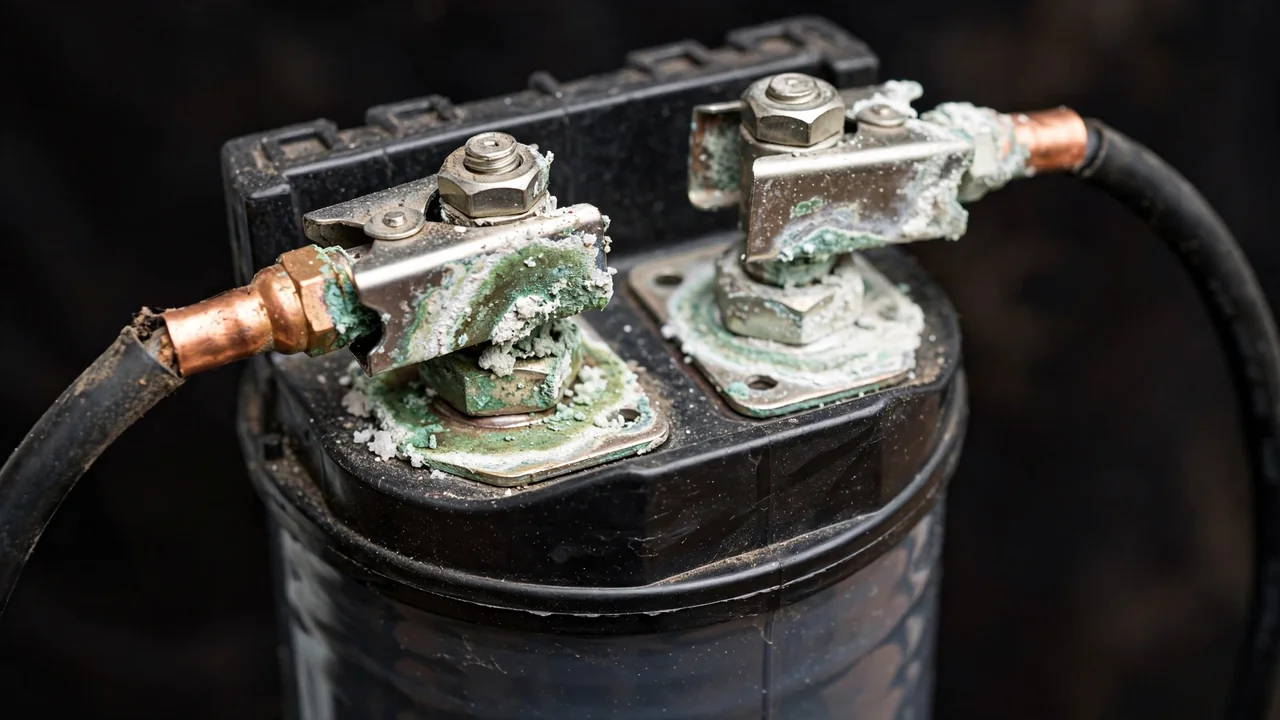
Some corrosion on terminals can be cleaned and is not, by itself, a death sentence — but heavy, recurring corrosion combined with other symptoms points to a battery that is venting gas and failing internally. Excessive heat is a stronger warning. Battery researchers have documented that sustained heat is one of the fastest killers of battery life; Battery University notes that every roughly 8°C rise above normal operating temperature can halve the life of a sealed lead-acid battery (source). If a battery feels hot to the touch hours after the charger finished, or only gets hot under normal loads, its internal resistance has risen — a classic end-of-life indicator. Check first that the battery room is ventilated, then treat the heat itself as the verdict.
6. Voltage Drops Under Load
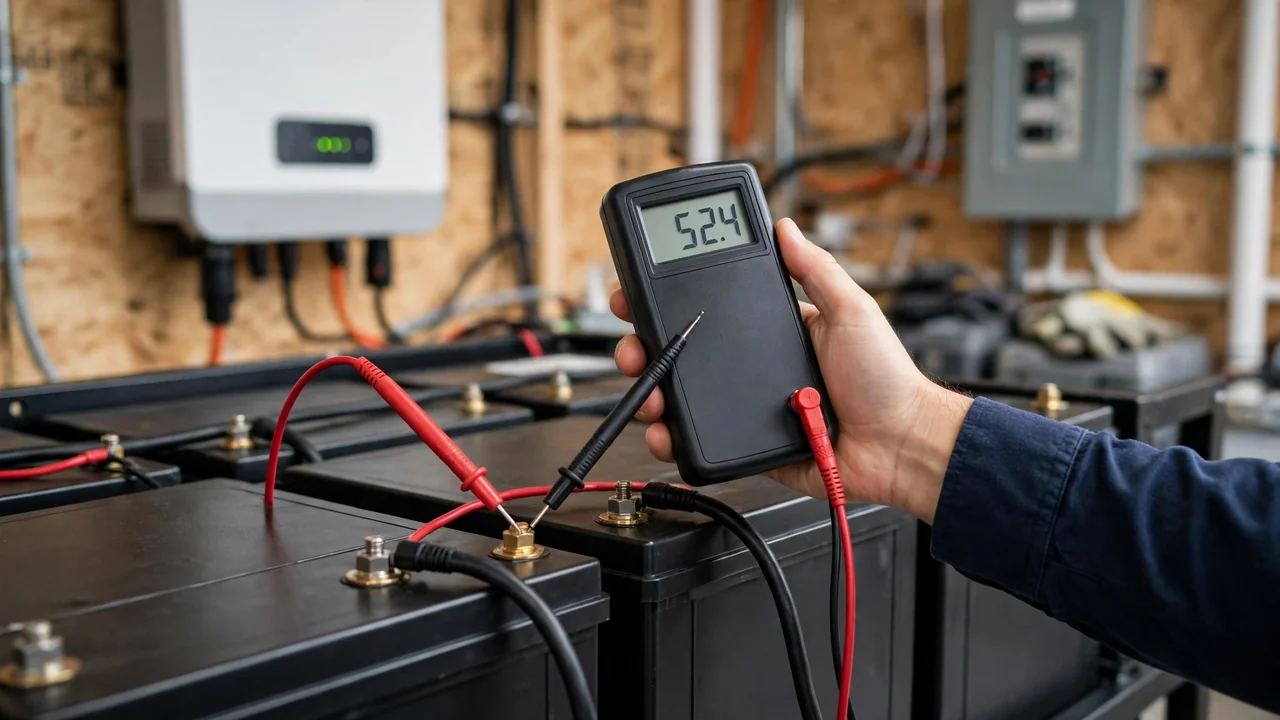
This is the most diagnostic test an owner can run with basic tools. Measure the battery’s open-circuit voltage with a multimeter after it has rested for an hour — a healthy 12V lead-acid battery reads around 12.6–12.8V at rest. Now switch on your normal backup load and watch the reading: if it collapses well below 12V (or the equivalent per-battery figure in your bank) under a normal load, the battery can no longer deliver current. Repeat the test a second time to be sure. Many inverters also show this as a sudden shutdown on moderate loads even when the battery was “full” — that is the same phenomenon seen from the system’s side.
7. It Has Outlived Its Expected Lifespan
Every battery chemistry has a natural end. As a general guide, tubular and flooded lead-acid batteries in Pakistani conditions typically last a few years of daily cycling, while lithium (LiFePO4) batteries last significantly longer — the exact span depends on depth of discharge, temperature and maintenance. We cover typical lifespans by battery type in our article on how long solar batteries last. If your battery is older than the upper end of its expected life, budget for a replacement even if it is still working: a battery that dies mid-summer is more expensive and more disruptive than one you replace on your own schedule.
How to Confirm a Failing Battery Before Replacing It
Replacement batteries are a significant part of a solar system’s lifetime cost, so it is worth confirming the diagnosis with a few simple checks before you spend:
- Check each battery individually. In a battery bank, one weak battery can drag down the whole string. Disconnect the bank and measure each battery separately; you may only need to replace one.
- Inspect connections and wiring. Loose or corroded lugs, undersized cables and poor crimps mimic the symptoms of a failing battery. Clean and tighten everything first — this alone fixes a surprising number of “dead battery” complaints.
- Verify charger and inverter settings. Wrong charge voltages, an incorrect battery-type setting, or a too-shallow depth-of-discharge limit can prevent full charging and mimic capacity loss. Check the settings against your battery’s documentation.
- Give it a controlled full-charge test. Charge the battery fully, let it rest, note the voltage, then run a known load and time how long it lasts. Compare with the battery’s rated capacity — if it delivers far less than rated, it is failing.
- For lithium batteries, check the BMS. The battery management system may be disconnecting early due to a protection fault; check its display or app before assuming the cells are dead.
Problems That Look Like a Failing Battery But Aren’t
Not every symptom means the battery is done. Rule these out first:
- Under-sized solar array. If panels are dirty, shaded or simply not enough for the load, the battery never gets fully charged — the symptom is charging-related, not battery-related. Our guide to choosing the best battery for a solar system also covers matching batteries to system size.
- Loose connections. A single loose terminal can cause voltage drops, heat and inverter shutdowns that look exactly like a dead battery.
- Wrong DoD setting. Some users set a very conservative depth-of-discharge limit, which makes the system shut down early and looks like lost capacity. The battery may be perfectly healthy.
- Seasonal variation. Shorter winter days and low sun angles reduce daily charge; a system that copes in summer may genuinely struggle in December without anything being wrong with the battery.
If you have ruled these out and the battery still shows the signs above, the diagnosis is confirmed.
What to Do When Replacement Is Unavoidable
Once you have confirmed the battery is finished, a few principles will save you money and trouble:
- Replace with the same voltage and capacity (or have a professional re-size the bank) so the inverter and charger settings stay compatible.
- Replace the whole bank together when possible. Mixing old and new batteries in one bank degrades the new ones fast, since the weakest battery limits the string. If wiring batteries in series or parallel, matched batteries matter even more.
- Dispose of the old battery properly. Lead-acid batteries contain lead and acid; lithium batteries contain reactive cells. Return them to the dealer or a certified recycler — never throw them in household waste.
- Re-check your maintenance habits so the new battery lasts longer than the old one: keep terminals clean, top up distilled water in flooded batteries, ventilate the battery room and avoid deep discharges.
Check Current Prices
This guide is intentionally evergreen — it covers diagnosis, not shopping. Battery models and rates change frequently, so for today’s battery and solar equipment rates, see the daily-updated tables on our homepage. If you are weighing which battery type to buy next, our lithium vs dry battery comparison for solar explains the trade-offs.
Frequently Asked Questions (FAQs)
How do I know if my solar battery is dying?
The clearest signs are sharply reduced backup time, fast draining on the same load, failure to reach a full charge, swollen or leaking casing, corroded or hot terminals, voltage collapsing under load, and the battery being older than its expected lifespan. Confirm with individual battery voltage tests before replacing.
Can a solar battery be repaired or must it be replaced?
Loose connections, corroded terminals and wrong charger settings can be fixed without replacing the battery. But dead cells, severe sulfation, a swollen or leaking case, and permanent capacity loss cannot be repaired — the battery must be replaced.
Why is my solar battery draining so fast?
Fast draining is usually caused by aged or sulfated cells that no longer hold charge, but it can also come from an unnoticed extra load on the backup circuit, a too-shallow depth-of-discharge setting, or panels that are not charging the battery fully during the day. Rule out the non-battery causes first.
How often should solar batteries be replaced?
It depends on the chemistry and usage: tubular and flooded lead-acid batteries typically last a few years of daily cycling in Pakistani conditions, while lithium (LiFePO4) batteries last significantly longer. Replace when warning signs appear, not on a fixed calendar — and budget for replacement as the battery approaches the upper end of its expected life.
Is it safe to keep using a swollen solar battery?
No. A swollen battery case can indicate gas buildup or internal failure and is a fire or acid hazard. Take the battery out of service immediately, keep it away from heat, and send it for certified recycling. Never puncture or try to repair a swollen battery.
Can I replace just one battery in a battery bank?
You can test each battery individually to find the weak one, but ideally replace the whole bank together. Mixing old and new batteries means the weakest battery limits the entire string, which degrades the new batteries faster.
Why does my inverter shut down even though the battery shows full?
This usually means the battery’s voltage collapses the moment a load is applied — a classic sign of worn-out cells that can no longer deliver current. Loose or corroded connections and wrong inverter settings can cause the same symptom, so check those before replacing the battery.
