
Lithium Battery BMS Explained: What It Does and Why It Matters

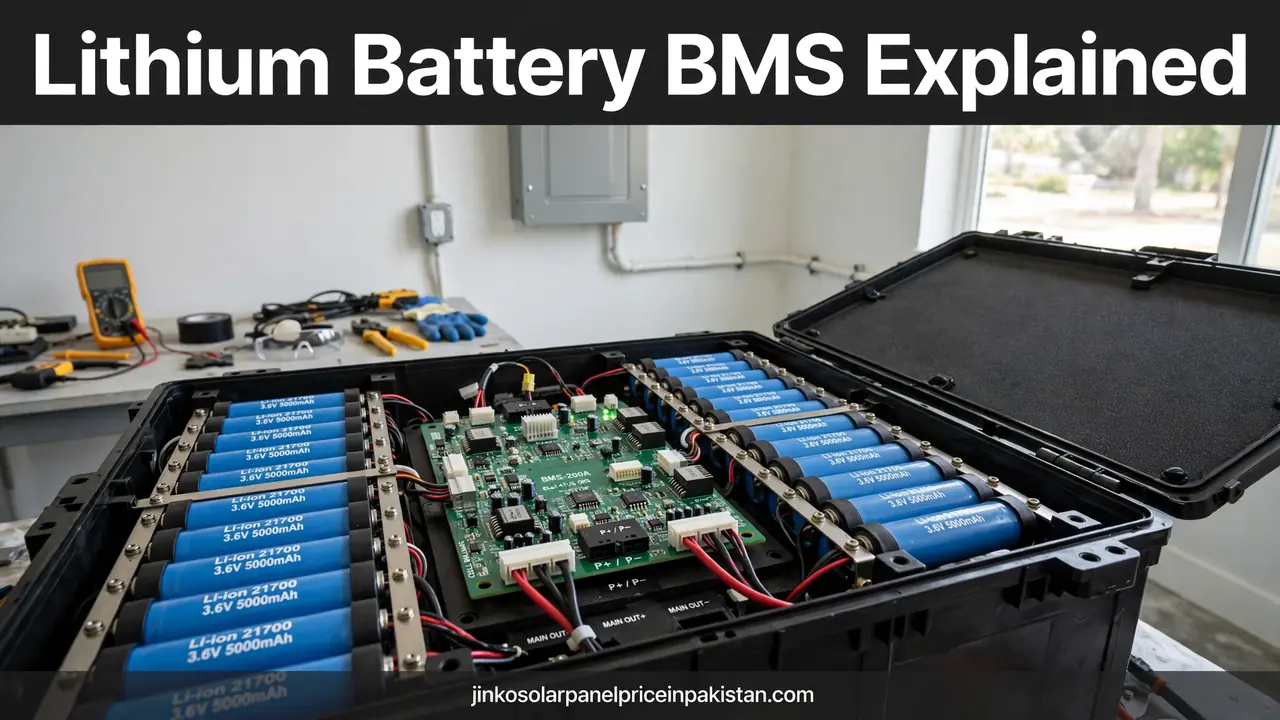
A lithium battery BMS (battery management system) is the electronic system inside or attached to a lithium battery pack that watches every cell, keeps the pack inside safe voltage, current and temperature limits, balances the cells, and reports remaining charge and health. Without it, a pack could be overcharged, drained too far, overheated, or damaged by a single weak cell, even while total pack voltage still looks normal. This lithium battery bms explained solar guide covers what a BMS does, what it protects against, how it talks to your inverter, and what to check before buying a lithium battery for solar in Pakistan.
What a BMS Actually Is
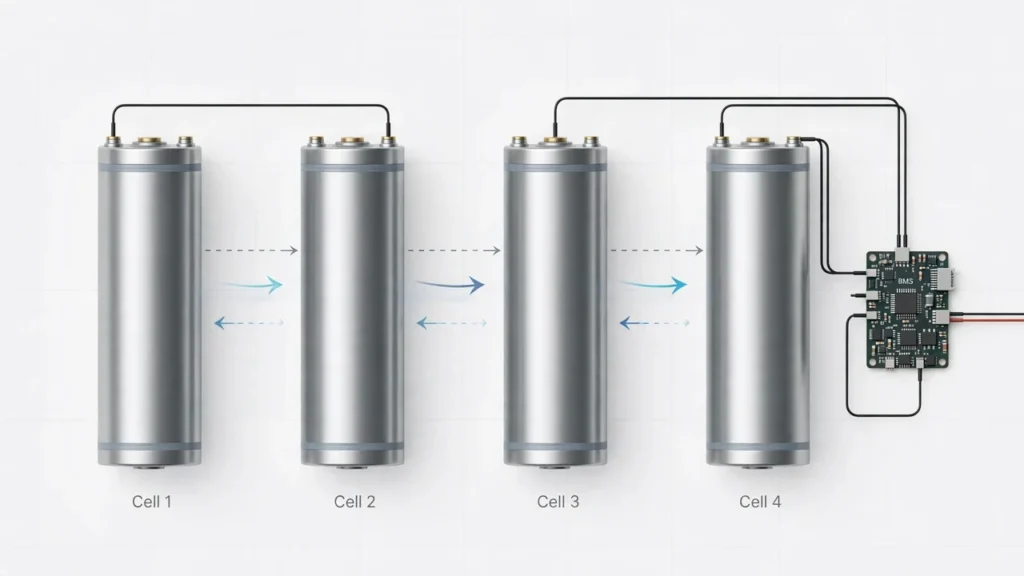
Think of a lithium battery pack as a team of cells wired together, not as one big cell. Cells in series raise voltage, cells in parallel raise capacity, and no two cells are perfectly identical. The BMS watches that team cell by cell, instead of judging the whole pack from total voltage alone. If you want the broader picture first, our lithium battery guide for solar in Pakistan explains how lithium batteries fit into a home solar system, and our lithium battery vs dry battery comparison shows why the two chemistries are managed so differently.
A BMS is not a charger or an inverter: the charger or inverter decides how much energy to push in, and the BMS decides whether that energy is safe right now, reducing current, warning connected equipment, or disconnecting the pack when a limit is reached.
What the BMS Monitors: Voltage, Current and Temperature
Almost every BMS job starts with three measurements. Voltage is measured for each cell group, not just for the pack as a whole, because one cell drifting high during charging or low during discharging is exactly the danger a pack-level reading would hide. Current is measured in both directions, so the BMS knows how hard the battery is being charged and how hard it is being drained. Temperature is measured at one or more points in the pack, because heat changes how safely a lithium cell can accept or deliver energy.
From those three measurements the BMS builds the rest of its picture. It tracks how much energy has flowed in and out, it watches for sudden changes that suggest a short circuit or a loose connection, and it estimates the state of charge, which is how full the battery is, and the state of health, which is how much of the original capacity remains. Battery University describes this plainly in its BMS guide: the basic functions are protection and showing state of charge, while the fuller picture also tracks capacity as the battery fades, so the user is not misled by a full-looking gauge on a weakened pack.
The Protections a BMS Provides
Protection is the reason a BMS exists, and most packs share the same core list. Overcharge protection stops charging when any cell reaches its upper voltage limit, because pushing a lithium cell beyond that limit can damage it permanently and generate heat and gas. Over-discharge protection disconnects the load when a cell falls to its lower limit, because draining a lithium cell too far can also cause lasting damage. Overcurrent protection limits or cuts the current when the draw or the charge rate exceeds what the cells and wiring can safely handle, and short-circuit protection reacts far faster still, cutting the circuit when current spikes suddenly.
Temperature protection works in both directions. In high heat the BMS may first reduce the allowed current and then disconnect if the pack keeps heating, and in cold conditions it may refuse a fast charge until the cells are warm enough to accept it safely. This matters for solar homes because a battery room or unventilated cabinet can run much hotter than the living space in summer. Our solar battery maintenance guide covers ventilation and placement checks that support the BMS.
Cell Balancing: Why Cells Drift Apart and How the BMS Fixes It
Cell balancing is the quiet, ongoing job that keeps a pack usable over time. Because cells differ slightly, one cell will always reach full charge a little earlier than its neighbours, and another will run empty a little earlier on discharge. Without balancing, the pack becomes limited by its weakest cell: charging must stop when the strongest cell is full, and discharging must stop when the weakest cell is empty, so the usable capacity shrinks even though most cells still have energy left.
Most home solar packs use passive balancing, which bleeds a small amount of energy from the highest cells near the top of a charge so the rest can catch up. Some larger or premium systems use active balancing, which moves energy from high cells to low cells instead of wasting it. Either way, balancing mainly happens near full charge, which is one reason a pack that is never fully charged may drift out of balance over time. If your installer or battery manual mentions a regular full charge or a balancing cycle, that is what it is for, and it is worth following rather than skipping.
State of Charge, State of Health and State of Function
Three terms come up in almost every BMS discussion, and they mean different things. State of charge, or SoC, is how full the battery is right now, usually shown as a percentage. State of health, or SoH, is how much capacity the battery still has compared with when it was new. State of function, or SoF, combines the two into a readiness answer: given the charge left and the health remaining, can this battery do the job you need tonight?
SoC is harder to measure than it looks. A battery has no fixed shape to measure, and voltage alone does not give a precise charge reading, especially for lithium chemistries whose voltage stays fairly flat across much of the charge range. That is why a BMS counts energy flowing in and out and recalibrates when the pack reaches a known full or empty point. A gauge that jumps or disagrees with actual backup time often points to a calibration or cell-imbalance problem, not proof that the battery itself has failed.
How a BMS Talks to Your Inverter and Charger
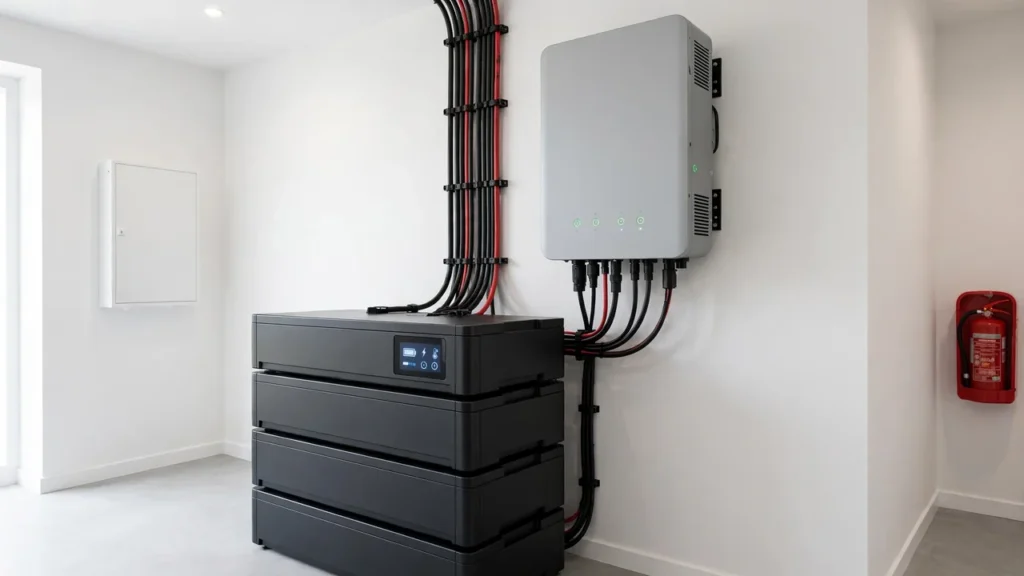
In a solar system the BMS rarely works alone. A smart BMS can communicate with a compatible hybrid inverter, sending its voltage limits, current limits, state of charge and any fault flags, so the inverter charges and discharges according to the battery’s real condition instead of guessing from voltage. Common communication paths in stationary storage include CAN bus and RS485, while some packs also offer Bluetooth for a phone app or a local display. The exact protocol matters: an inverter and a battery that use different protocols, or the same protocol with different settings, may fall back to voltage-only charging, which works but loses the precision and the fault warnings that communication provides.
This is why our inverter and battery pairing guide stresses checking the inverter maker’s battery compatibility list for your exact battery model. Same brand or same chemistry alone is not proof of communication compatibility. Before buying, ask which protocol the battery uses, which cable it needs, whether the inverter lists that exact model, and what the inverter does if communication drops: does it stop safely, fall back to a conservative voltage mode, or keep running blind? The answer tells you how much protection you keep when the link fails.
Types of BMS: Basic Protection Boards and Smart Systems
Not every BMS offers the same depth. A basic protection board covers the essentials — overcharge, over-discharge, overcurrent and short-circuit cut-offs — with little or no reporting. A smart BMS adds cell-level monitoring, balancing, temperature sensing, state-of-charge and state-of-health estimation, fault logging and communication with an inverter or an app. Some packs build the BMS inside the battery case, others use an external BMS that can be serviced separately; what matters is whether the protections, balancing, sensing and communication match how your solar system will actually use the pack.
What a BMS Means for Solar Homes in Pakistan
A solar home battery is cycled far more often than a backup battery that only runs during outages. Daily charging from solar, evening discharging for household loads, and repeated top-ups all depend on the BMS keeping every cell inside its limits, day after day. Heat, dust and long backup runs during load shedding all add stress, and a BMS that derates current in heat or disconnects on a genuine fault is doing its job, even when the shutdown itself is inconvenient. Treat repeated BMS trips as a diagnostic signal: check the load, the ventilation, the wiring and the inverter settings with your installer, rather than bypassing or resetting the protection and carrying on.
Signs the BMS May Be Acting or Failing
Some BMS behaviour is normal protection: a brief disconnect on a severe overload, a reduced charge rate in high heat, or a shutdown when the pack is genuinely empty. Other signs point to a real problem that needs checking. Repeated disconnects under normal loads, a battery that will not charge or discharge at all, a state-of-charge reading that bears no relation to backup time, a pack that runs noticeably hot, or an inverter that repeatedly reports a battery communication fault are all reasons to stop and get the system inspected. Do not open a sealed lithium pack yourself, and do not bypass a BMS to force a battery back into service; both can turn a repairable fault into a safety hazard.
What to Check Before Buying a Lithium Battery: BMS Checklist
Use this checklist with the battery manual or datasheet in hand, not from memory or from a sales listing alone. First, confirm the full protection list: overcharge, over-discharge, overcurrent, short-circuit and temperature protection, with temperature sensing on the cells, not only on the case. Second, confirm the balancing method and whether balancing is passive or active. Third, confirm what is reported: state of charge, and ideally state of health, visible on the inverter, on a display, or in an app you can actually access. Fourth, confirm the communication protocol and whether your exact inverter model lists your exact battery model as compatible. Fifth, confirm the current limits in both directions, and check them against the loads you plan to run and the inverter you plan to pair, using the method in our pairing guide rather than the headline capacity alone.
Common BMS Mistakes and Myths
One common myth is that a BMS makes a battery indestructible. It keeps a sound pack inside safe limits and disconnects it when those limits are crossed, but it cannot repair worn cells, fix bad wiring, or compensate for an inverter set to the wrong charge voltages. Another myth is that any lithium battery works with any hybrid inverter; voltage range, current limits, chemistry settings and communication must all agree. A third mistake is treating a BMS disconnect as a battery failure and replacing the pack, when the cause may be an overloaded circuit, a hot room, or a settings mismatch that proper diagnosis would have found.
Check Current Prices
This guide deliberately contains no prices, because battery and panel prices change with the market and a figure in an article quickly goes out of date. For today’s updated tables, visit the homepage of jinkosolarpanelpriceinpakistan.com, where current solar panel prices are refreshed daily. Once you have a shortlist whose BMS protections, balancing, reporting and inverter compatibility all check out, compare the current figures there and confirm the final combination with your installer before ordering.
Frequently Asked Questions (FAQs)
What is a BMS in a lithium battery?
A BMS (battery management system) is the electronic system in or attached to a lithium battery pack that monitors each cell group, protects the pack from unsafe voltage, current and temperature, balances the cells, and reports charge and health.
Why do lithium batteries need a BMS?
Lithium cells are easily damaged by overcharging, over-discharging or overheating, and a single weak cell can limit or endanger the whole pack. A BMS watches cells individually and disconnects or limits current before damage occurs.
What protections does a lithium battery BMS provide?
The core protections are overcharge, over-discharge, overcurrent, short-circuit and temperature protection. Many systems also add cell balancing, fault logging, and communication with the inverter or charger.
What is cell balancing in a BMS?
Cells are never perfectly identical, so they drift apart over cycles. Balancing brings high cells down or moves energy between cells near full charge, so the pack is not limited by its weakest cell.
What is the difference between state of charge and state of health?
State of charge (SoC) is how full the battery is right now. State of health (SoH) is how much of its original capacity remains. Together they show state of function: whether the battery can do the job you need.
Can a BMS communicate with a solar inverter?
A smart BMS can send voltage limits, current limits, state of charge and fault flags to a compatible hybrid inverter, often over CAN bus or RS485, so charging follows the battery’s real condition instead of a voltage guess.
What should I do if the BMS keeps disconnecting the battery?
A disconnect is usually the BMS protecting the pack, not proof the battery has failed. Repeated disconnects under normal loads, a battery that will not charge at all, or repeated inverter communication faults should be inspected by an installer.
What should I check about the BMS before buying a lithium battery?
Check the full protection list, the balancing method, temperature sensing, what is reported (state of charge and ideally state of health), the communication protocol, and whether your exact inverter model lists your exact battery model as compatible.
